What WordPress Automation Really Costs — and How to Keep It Low
Your time, the way a tool charges, and the costs nobody budgets for: a worked example for a WooCommerce store, and six ways to keep automation cheap as you grow.
5 min read
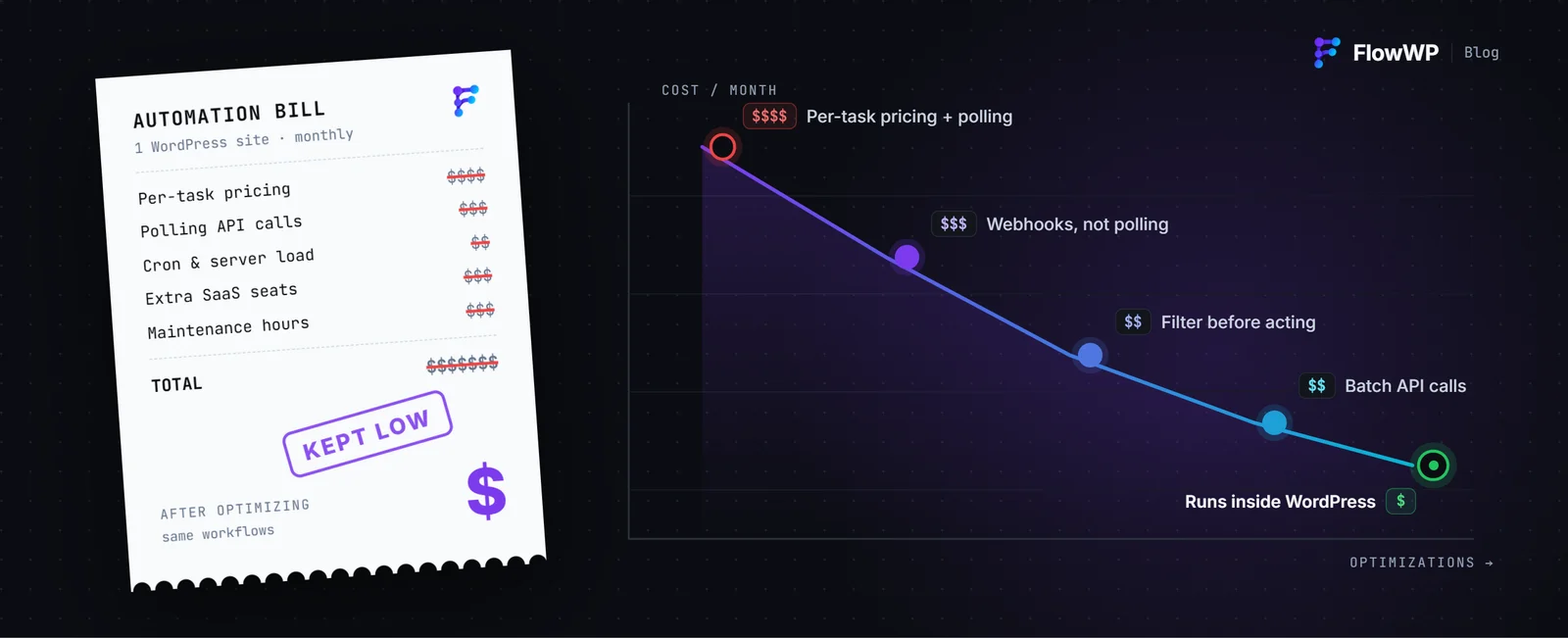
Automation is usually sold on the time it saves. The price is harder to see, because it comes in three parts: the hours you spend doing the work by hand today, what the tool charges and how that charge grows, and the costs nobody puts in the budget — upkeep, failures that go unnoticed, a server someone has to keep running.
This guide puts numbers on all three for a typical WooCommerce store, shows how different pricing models behave as the store grows, and ends with a short list of ways to keep automation cheap.
1. The cost you already pay: doing it by hand
Repetitive work rarely looks expensive, because each task is small. The cost is in the repetition:
tasks a week × minutes each × 52 weeks ÷ 60 = hours a year, and hours × what an hour is worth = the yearly cost.
“What an hour is worth” is your own rate, or what you pay someone else to do it. Use a real number: a task that takes five minutes is cheap once and expensive three hundred times a year.
2. A worked example: a WooCommerce store
Take a store with about 40 orders a week, where someone currently does these jobs by hand. The minutes below are assumptions for the example — swap in your own.
| Job done by hand | Each week | Template |
|---|---|---|
| Send a personal thank-you after payment | 40 × 2 min = 80 min | Thank customers after they pay |
| Tell the team about each order | 40 × 1 min = 40 min | Tell the team about every order in Slack |
| Copy each customer into the CRM | 40 × 2 min = 80 min | Add paying customers to FluentCRM |
| Chase payments that failed | 5 × 10 min = 50 min | Recover orders whose payment failed |
| Check stock levels | 1 × 15 min = 15 min | Stay on top of stock changes |
| Total | 265 min |
265 minutes is about 4.4 hours a week, or roughly 230 hours a year — close to six working weeks. At $35 an hour that is about $8,000 a year of someone’s time, spent copying, pasting and checking.
All five jobs are ready-made FlowWP templates on the Personal plan, which is $79 a year for one site at the time of writing. At these numbers the plan has paid for itself before the end of the first week. Your numbers will differ; the savings calculator on the home page does the same sum with yours.
3. How automation tools charge — and why it matters as you grow
The same store runs these workflows a lot. Four of the five start on every order, so 40 orders a week is roughly 700 runs a month before counting failed payments and stock changes. Double the orders and the runs double too. How a tool charges for those runs decides whether growth makes automation more expensive.
- Priced by runs or tasks. Hosted platforms often meter usage. n8n Cloud, for example, prices its plans by monthly workflow executions (n8n pricing). That suits low, predictable volume; a busy month uses more of the allowance.
- Priced by credits for app actions. Uncanny Automator’s free version on WordPress.org includes 250 app credits for actions that call outside apps (plugin page); its Pro plans, billed yearly, have no per-task fees for app automations.
- Flat, by number of sites. FlowWP’s paid plans have no monthly run limit. Personal covers one site, Business five and Agency twenty-five, billed monthly, yearly or once. The 700 runs a month in the example cost the same as 7,000.
Competitor details were checked on 4 October 2026 and change over time; the FlowWP vs n8n and FlowWP vs Uncanny Automator comparisons list every source.
4. The costs nobody budgets for
Upkeep of custom code
A snippet in functions.php costs nothing to install and something every time a plugin it depends on changes. Only the person who wrote it can read it, and nothing records whether it ran. A workflow keeps the same logic on a canvas anyone on the team can follow.
Failures you never hear about
The most expensive automation is the one that silently stopped: the failed-payment email that never went out, the lead that never reached the CRM. FlowWP records every run: which steps ran, what each was given, what each returned, and where it stopped. A failed step can be retried on its own, and steps that are safe to repeat can be retried automatically, on every plan. See how FlowWP runs your workflows.
Something else to host
A self-hosted automation server is free to download and not free to run: it needs a server, updates, backups and someone responsible when it goes down (n8n’s hosting options). FlowWP is a WordPress plugin, so workflows run on the site and hosting you already pay for, with delays and schedules handled by Action Scheduler.
Your time to build it
Building from a blank canvas takes longer than changing something that already works. Starting from a template, or describing the workflow in a sentence to the AI workflow builder, gets you to a working draft in minutes. The AI builder uses your own Anthropic, OpenAI or Google key, so you pay that provider for what you use.
5. How to keep automation cheap
- Start with the job that repeats most. Rank your tasks by minutes a week, not by how annoying they are, and automate the top one first.
- Prove it on the free plan. FlowWP’s free version does not expire and has no caps on workflows, steps or runs. That is enough to see your workflows working before you pay anything, and to keep them running if the free steps are all you need.
- Start from a template, not a blank canvas. Change the details, test it with real data, switch it on.
- Pay yearly if you are staying. At the time of writing, Personal is $9 a month or $79 a year — $29 less than twelve monthly payments. Business is $18.99 a month or $159 a year, and Agency $39 a month or $299 a year.
- Count sites, not runs. With flat pricing, the useful number is cost per site: Business works out at $31.80 a site a year across its five sites, and Agency at about $11.96 a site across twenty-five. A workflow built once can be exported and imported on every client site.
- Consider a lifetime licence only if you are sure. Personal is $219 once — less than three years of the yearly price.
Prices change; the pricing page always has the current ones and the full list of what each plan includes.
The short version
Automation pays when the hours it gives back are worth more than it costs, and keeps paying when its price does not climb with your success. Work out your own hours, check how the tool charges as volume grows, and count the upkeep. For most WordPress sites, a workflow that runs inside the site, on a flat price, is the cheapest way to stop doing the same job twice.