
Test and activate
Rehearse a workflow with example data, check it is ready, switch it on, and edit it safely while it is live.
Updated
A workflow is a draft until you switch it on. Test it first: a test run shows exactly what each step would do, without the side effects.
Run a test
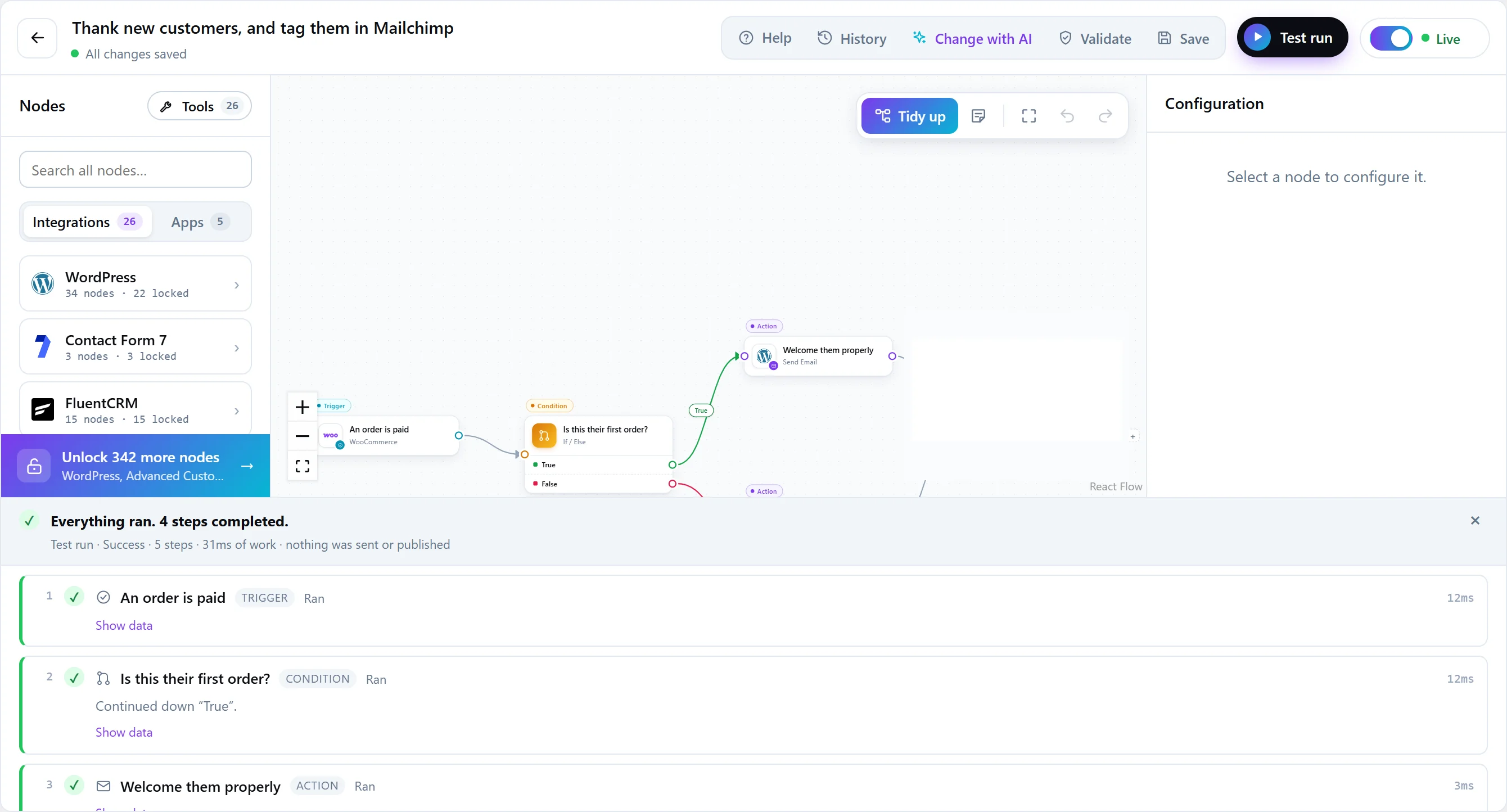
Press Test run in the editor’s toolbar. FlowWP saves the workflow, then runs it straight away with example data for its trigger, and opens the results: every step, what it was given, what it returned, and the run’s status.
- Steps that change something are rehearsed. Send Email reports the message it would have sent; an HTTP Request other than GET reports the request it would have made; a step from a plugin that writes shows its preview instead of doing it. Testing a workflow does not charge a card or email a customer.
- Reads run for real. Steps that only look something up — including GET requests — run normally, so later steps get real data.
- Test runs are on every plan.
Check before going live
Use Validate in the toolbar to see whether everything is set up to go live: required settings, blanks a template left for you, steps whose plugin is missing or whose plan you do not have. Each problem points at the step and field concerned.
Activate
Use the switch at the end of the toolbar, or the same switch in the workflow list. FlowWP saves the workflow, checks it, and refuses to activate it with a list of what to fix if something is missing. Once it is live, it runs whenever its trigger fires.
Deactivating stops it immediately: it no longer responds to its trigger.
Edit a live workflow safely
You can edit a live workflow. Saving creates a new version, and each run keeps executing the version it started with, so a run waiting on a three-day delay is never switched to a graph nobody tested halfway through.