
Tokens and data mapping
Pass values from the trigger and earlier steps into later ones, and reshape them with filters.
Updated
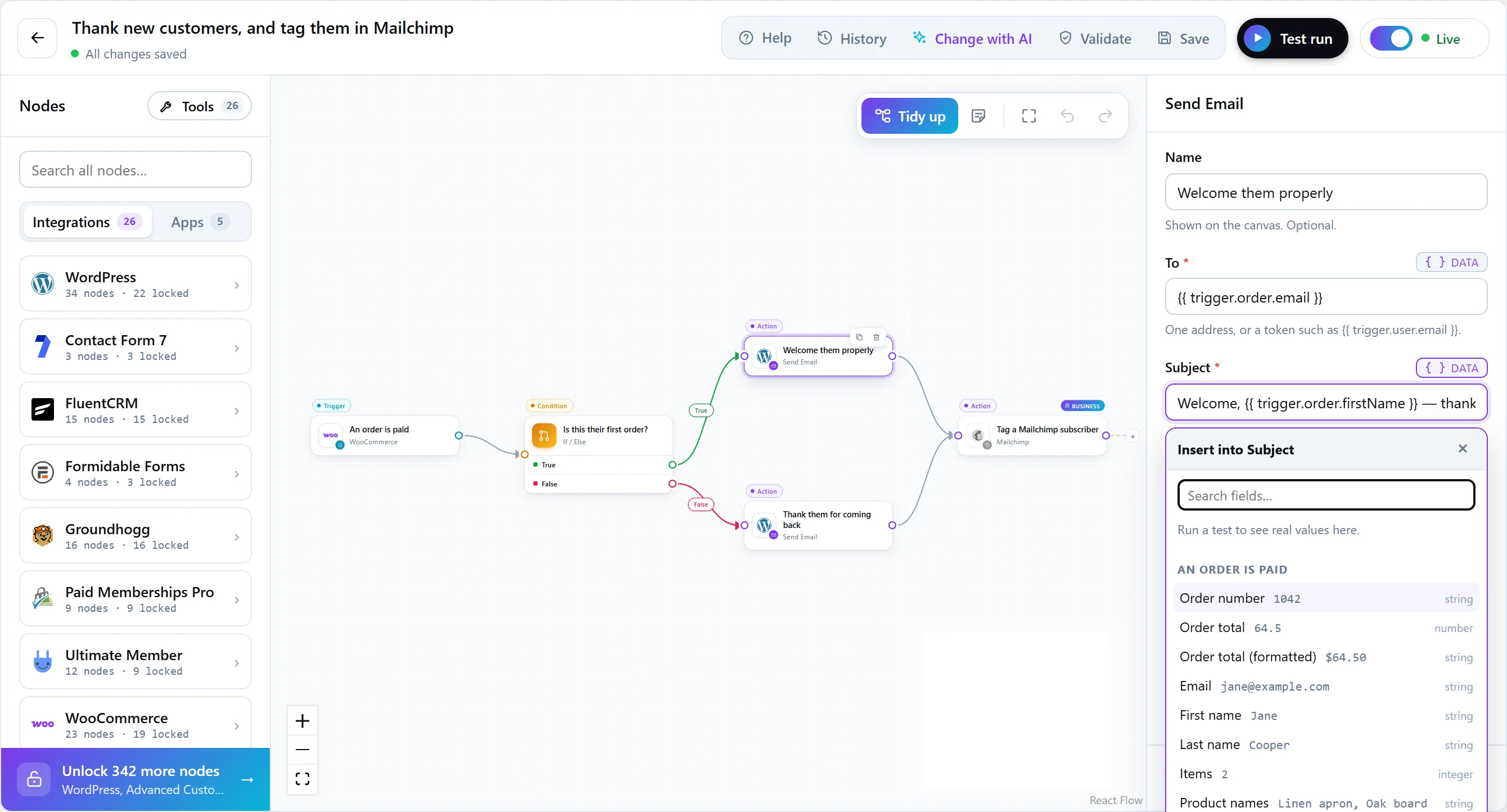
Tokens carry data between steps. Anything the trigger or an earlier step produced can be used in a later step’s settings, and FlowWP fills in the real value when the workflow runs.
Token syntax
| Token | What it holds |
|---|---|
{{ trigger.order.email }} |
A value from the trigger’s data. |
{{ nodes.lookup.output.name }} |
A value an earlier step returned, by that step’s id. |
{{ loop.item }} |
The current item inside For each, or the current number inside Repeat. |
You rarely type these by hand. Open the token picker in any field to browse everything available at that point in the workflow, named the way each step describes it. Each integration page also lists the values its steps pass on.
Filters
A filter reshapes a value on its way into a field. Add it after a pipe, and chain as many as you need:
{{ trigger.user.displayName | title }}
{{ trigger.order.createdAt | date: "j F Y" }}
{{ trigger.order.total | currency: "$", 2 }}
{{ trigger.form.company | default: "your company" | trim }}
On every plan
| Filter | What it does |
|---|---|
lower, upper, title |
Change case: “Jane SMITH” becomes “jane smith”, “JANE SMITH” or “Jane Smith”. |
capitalize |
Capitalizes the first letter: “your order” becomes “Your order”. |
trim |
Removes spaces and line breaks from both ends. |
default |
Uses the given text when the value is empty or missing. |
date |
Formats a date with a PHP date format: j F Y gives “13 September 2026”. |
Personal and above
| Group | Filters |
|---|---|
| Text | replace, remove, prepend, append, truncate, squish (collapse spaces), strip_html, slug, before, after, between, extract (a regular expression), json (escape a value for a JSON body) |
| Lists | split, join, first, last, count, unique, length |
| Dates | date_from (read a date in a given format), timezone, add (“3 days”, “-2 hours”), diff (time between two dates) |
| Numbers | round, floor, ceil, abs, number, currency, to_number, plus, minus, times, divide |
The token picker shows each filter with an example, and developers can add their own; see the developer guide.
Data tools
For more than a filter can do, the Data tools group in the step library has steps of its own:
- Format data and Date & time — on every plan.
- Calculate, Generate a value, Set variables, Parse a file, Parse JSON, Build JSON and Create CSV — Personal and above.
- Image helper — Business and above.
Tokens are user input. A token’s value can come from a form submission or a webhook body. Treat it that way in anything that builds a URL, a query or HTML.