
Delays, loops and repeats
Wait before continuing, repeat steps for every item in a list, or run them a set number of times.
Updated
These steps change when and how often the rest of a workflow runs. All four are in the Logic group and need the Personal plan or above.
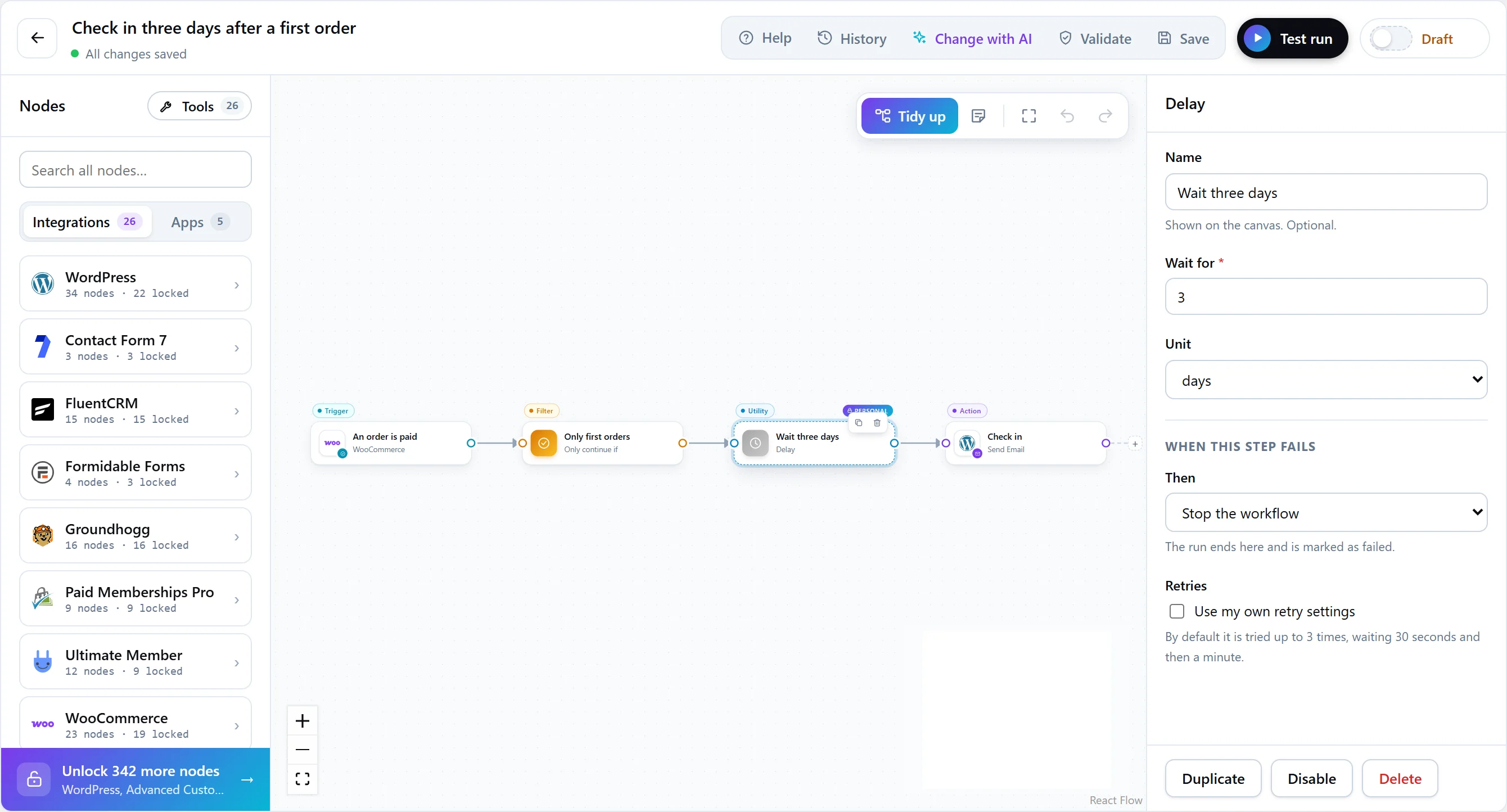
Delay
Waits for a period of time before continuing: a number of seconds, minutes, hours or days. Use it for follow-ups — a check-in three days after a first order, a reminder an hour before a deadline.
- Nobody waits on it. The run is suspended and handed to Action Scheduler, so no request is held open and visitors never wait. The run shows as Waiting in the run history.
- The deadline is kept exactly. The time to continue is stored with the run. If the background queue wakes the run early, it works out the time left and waits again.
- Check again after waiting. Things change during a delay. Put a condition after it — is the order still unpaid? — before acting.
For each
Repeats the steps connected to it for every item in a list — each row of a file, each product in an order — then continues from its Done output.
| Setting | What it does |
|---|---|
| Items | The list to repeat for, usually data from an earlier step such as the rows from Parse a file. Text is split into lines, or on commas. |
| Run the items | At the same time (faster) or one after another, in order. |
| If an item fails | Carry on to Done and list the failures, or fail this step once every item has run. |
Inside the loop, {{ loop.item }} is the current item.
Repeat
Runs the connected steps a set number of times — send three reminders, create five coupons — then continues. How many times is a whole number from 1 to 500, or a token holding one; {{ loop.item }} is the number of the current run. It has the same Run the items and If an item fails settings as For each.
Long workflows
A run never depends on one request surviving to the end. Each pass executes a bounded number of steps, then hands the rest back to the queue, so a long workflow with loops finishes in the background.