
Errors and retries
What a failing step does to its run, automatic retries, and On error branches.
Updated
When a step fails, two settings on that step decide what happens next: how it retries, and where the run goes if it still fails. Every step except the trigger has both, under When this step fails in its settings.
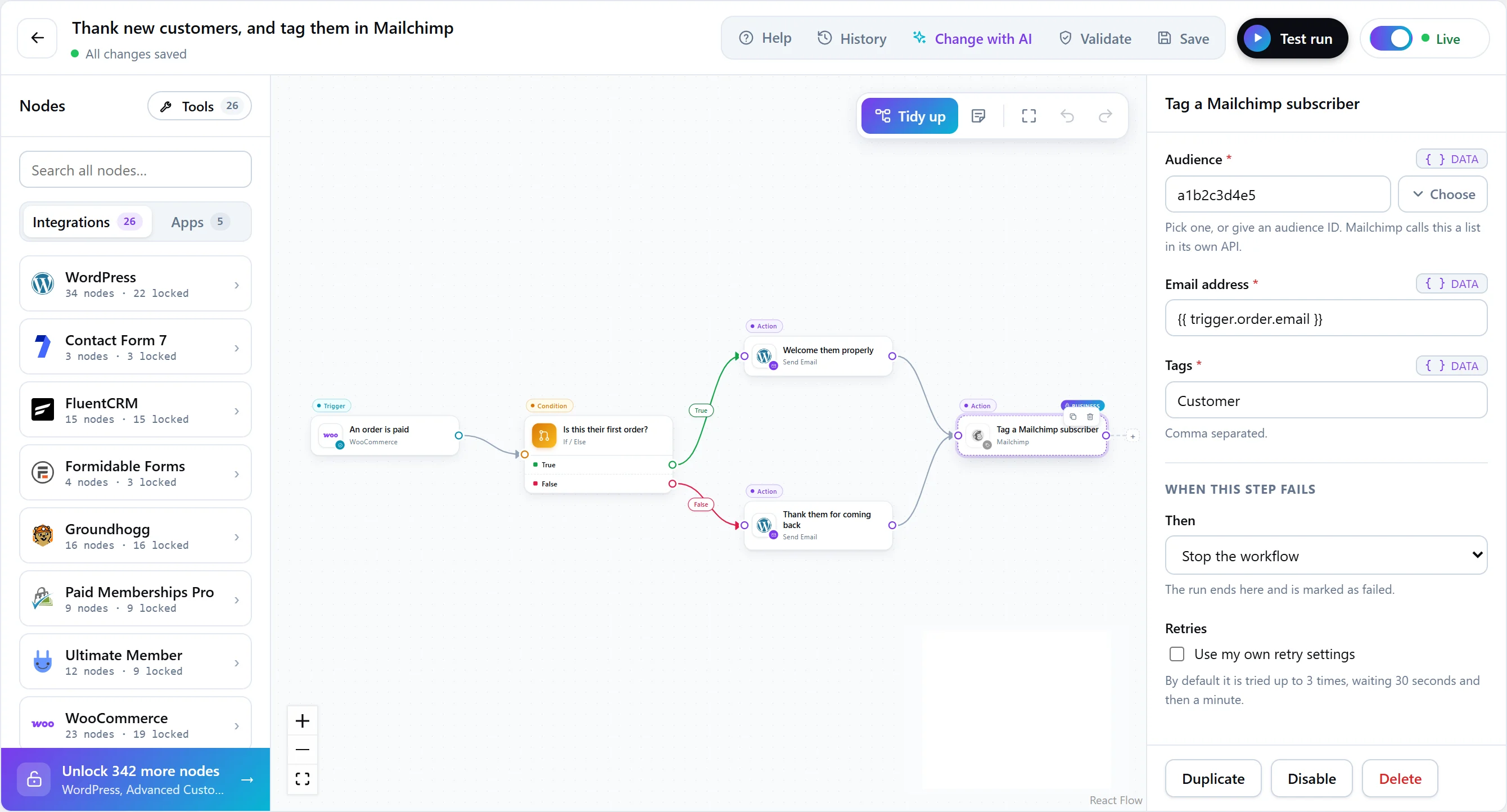
When a step fails
| On error | What happens | Plan |
|---|---|---|
| Stop the workflow (default) | The run ends as failed. | Every plan |
| Carry on with the other branches | Steps after this one are skipped; the run’s other branches finish, but the run still counts as failed. | Every plan |
| Follow the On error path | The run follows the step’s On error output instead. A failure handled this way is not the run’s failure: the run can still succeed. | Every plan |
On an On error branch, the failure is available as tokens: error.code, error.message and error.attempt on the failed step’s output. Use them to alert someone with the reason, or to try another way.
Automatic retries
On every plan, Free included, a failed step can be tried again automatically.
- Only when it is safe. By default, a step is retried only if it is both retryable and safe to repeat — running it twice must land where running it once did. A sent message is not. A step that is safe is tried three times in all; one that is not is tried once.
- Backing off. The first retry waits 30 seconds, and the wait doubles each time, up to an hour. A service that is struggling is usually struggling for everyone, and waiting helps it recover.
- Your own settings. A step’s retry settings can set the number of tries (up to 10), the wait before the second try (up to an hour), and whether the wait stays the same or doubles.
Why a sent message is never retried for you. If a request timed out after it was actually delivered, retrying would send it twice. That is how one refund becomes three. Steps declare whether they are safe to repeat, and FlowWP respects it.
After a failure
- Open the run in run history and read the failed step’s error.
- Fix the cause: a connection, a setting, the other service.
- Run the execution again to replay the same event, or let the next event run the fixed workflow.
No caps to run into
No plan limits how many workflows, steps, runs, webhooks or HTTP requests you have, so a run never stops because of a count. A step from a paid plan is the one plan difference a workflow can meet: FlowWP will not switch on a workflow that uses a step your plan does not include, and the step library shows the plan that does.