
Manage your licence and subscription
The Account page, moving a licence between sites, renewals, cancelling, and what happens when a licence ends.
Updated
A FlowWP licence is used by FlowWP Pro; the free plugin from WordPress.org has no licence and works the same on every site. Your licence and subscription are managed in two places: FlowWP → Account on each site running FlowWP Pro, and the Freemius User Dashboard, where you sign in with the email address you bought with. Freemius is the licensing and payments service FlowWP uses. For anything neither of them offers, contact us.
The Account page
FlowWP → Account shows the licence on the site you are on:
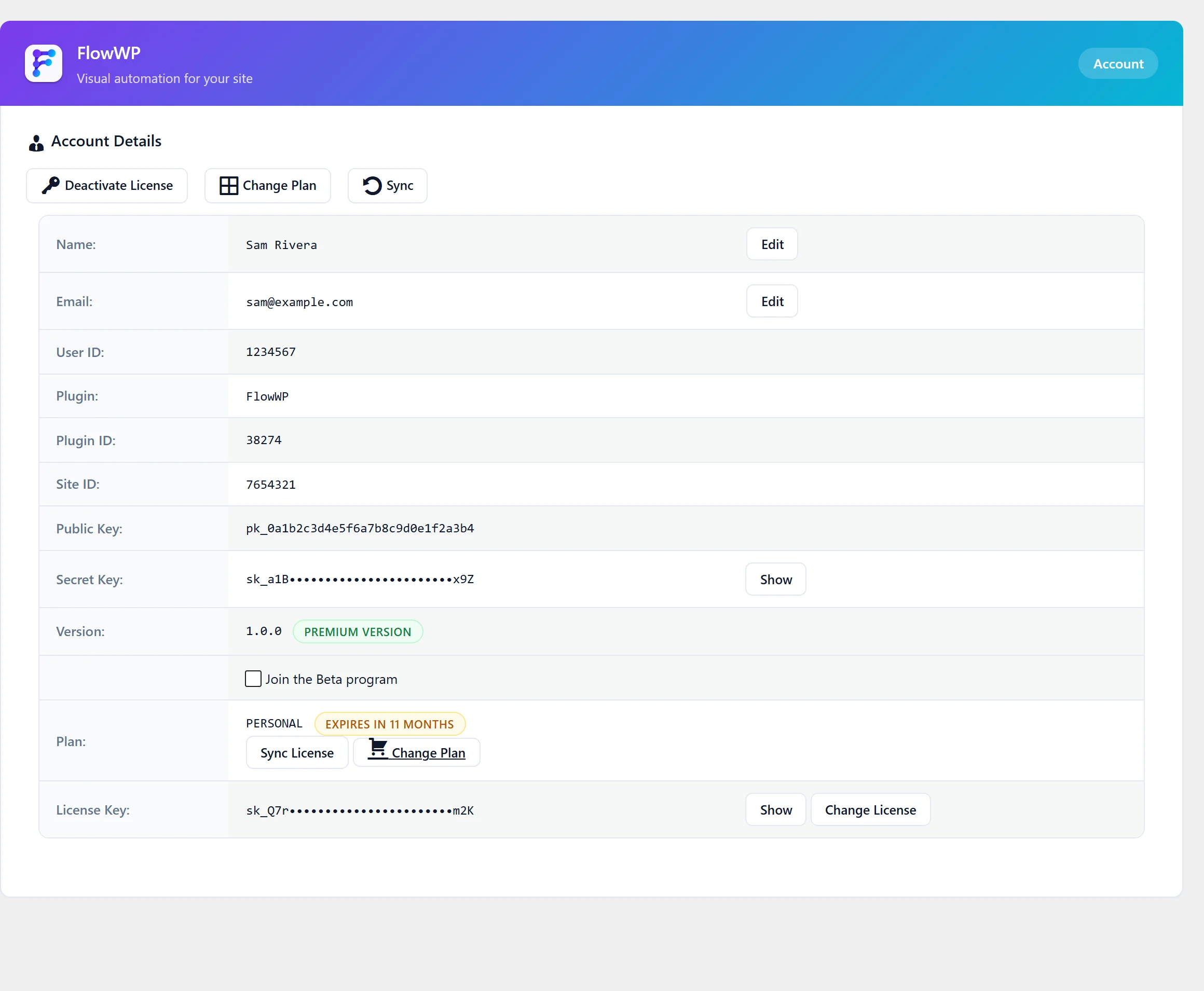
- Plan — your plan, and when the licence expires or renews.
- Version — whether the site runs FlowWP Pro, which Freemius labels Premium version.
- License Key — the key this site uses.
And these actions:
| Action | Use it to |
|---|---|
| Sync / Sync License | Fetch your licence from Freemius again, after a purchase, a renewal or a plan change. |
| Change Plan | Move to another plan, for example to cover more sites. |
| Change License | Use a different licence key on this site. |
| Deactivate License | Release this site’s activation so the licence can be used on another site. |
Move a licence to another site
- On the old site, open FlowWP → Account and click Deactivate License. The site goes back to the free plan’s features.
- On the new site, install FlowWP Pro and activate the same licence key. See Activate your licence.
Workflows stay on the site where they were built. To take them with you, export them first; see Import and export. If you can no longer sign in to the old site to deactivate it, contact us.
Use the licence on more sites
Each licence covers 1 site on Personal, 5 on Business and 25 on Agency. To cover more, move to a plan with more sites using Change Plan, then click Sync. Compare plans on the pricing page.
After updating to FlowWP 1.2
Activate your licence again, once, on each site that had it before the update. FlowWP’s Freemius identifier changed with its new name, from flowwp to flowwp-workflow-automation, and Freemius stores each site’s connection under it. The key is the same; see Activate your licence. If Freemius says all your sites are in use, contact us.
Renewals
Monthly and annual licences renew automatically until you cancel. Lifetime licences are paid once and do not expire. If a licence has expired, renew it from the User Dashboard, or from Renew license where WordPress offers it, then click Sync on the Account page.
Cancel a subscription
Cancel from the Freemius User Dashboard. Cancelling stops future payments; the licence keeps working until the end of the period you have paid for, and then expires.
Cancel a trial
If your FlowWP Pro licence is a trial, it can be cancelled from the Account page with Cancel Trial. Paid features stop at once and the site goes back to the free plan’s features.
When a licence ends
When a licence expires, a subscription runs out after cancelling, or a trial ends, the site uses the free plan’s features. Nothing is deleted when that happens, but the free plan applies from then on:
- Steps, templates and filters from a paid plan are locked again, the AI workflow builder is no longer available, and FlowWP will not switch on a workflow that uses a step the plan does not include.
- There are no caps to fall back under: workflows, steps and runs stay unlimited. See What each plan includes.
- Run history is kept for 30 days on the free plan. Coming from Business or Agency, finished runs older than that are removed by FlowWP’s regular clean-up.
Check Run history after a licence ends, to see how your live workflows are running on the free plan. Renewing, or activating a licence again, unlocks the paid steps again.
Invoices and billing details
Your licences, payments and invoices are in the Freemius User Dashboard.
Anything else
For refunds, a licence bought with the wrong email address, or anything not described here, write to us from FlowWP → Contact Us or the contact form. Include the email address you bought with.