
Run history
Every execution, its status and each step’s input and output; how long runs are kept; running one again.
Updated
Every time a workflow runs, FlowWP records an execution: which steps ran, what each was given, what each returned, and where the run stopped if it stopped. Open Run history at the top of any FlowWP screen, or History in the editor for one workflow.
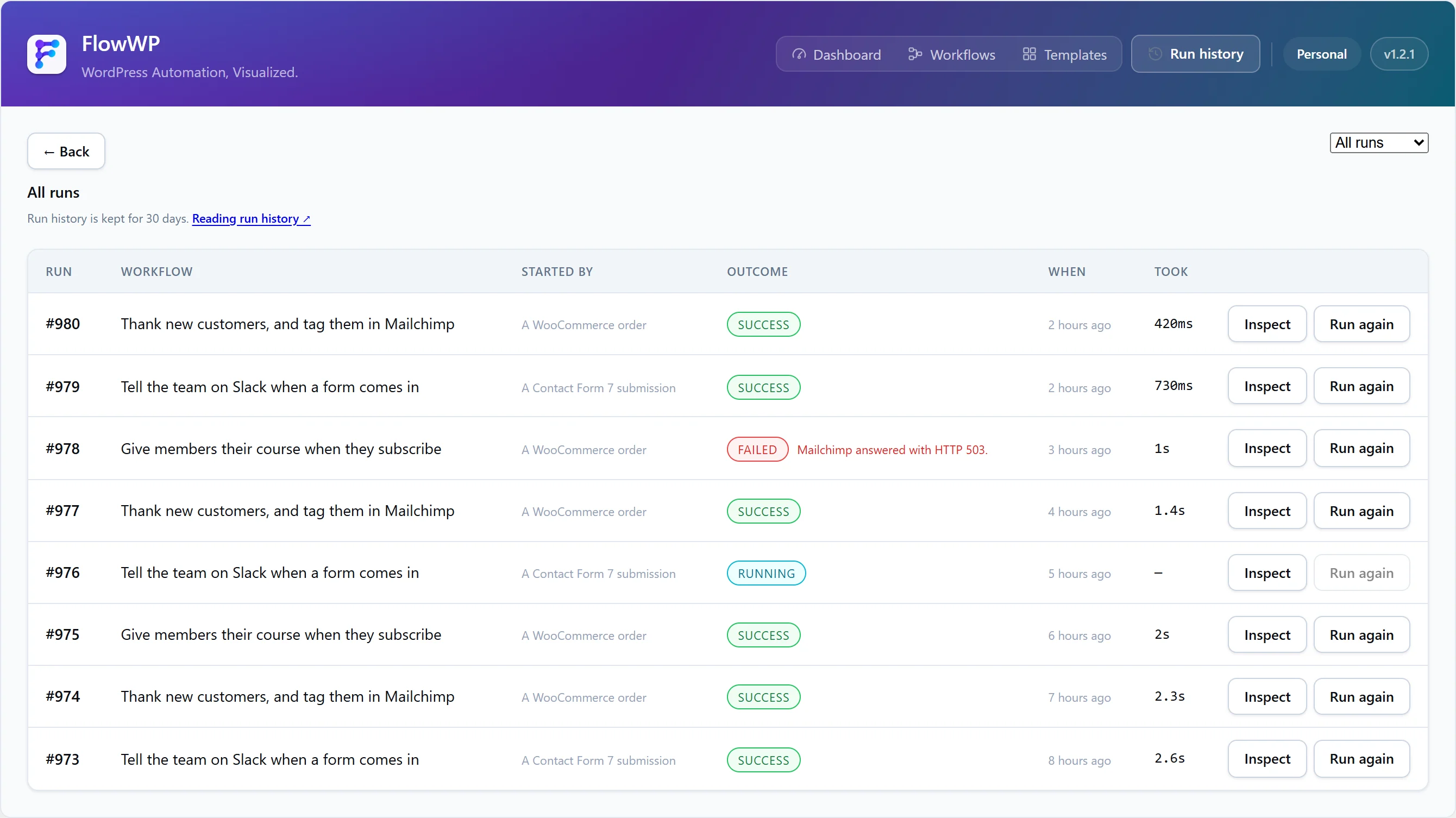
Statuses
| Status | Meaning |
|---|---|
| Pending | Queued, not started yet. |
| Running | In progress in the background. |
| Waiting | Suspended on a delay or a retry, and will continue by itself. |
| Success | Finished, and every step that ran succeeded or had its failure handled by an On error branch. |
| Failed | A step failed. A run with an unhandled failed step is never reported as a success, even if other branches finished. |
| Halted | Stopped on purpose by a condition, such as Only continue if — not by an error. |
| Aborted | Stopped by something outside the workflow, such as an error in the background queue. Other runs carry on. |
Filter the list by outcome to find the runs that need attention.
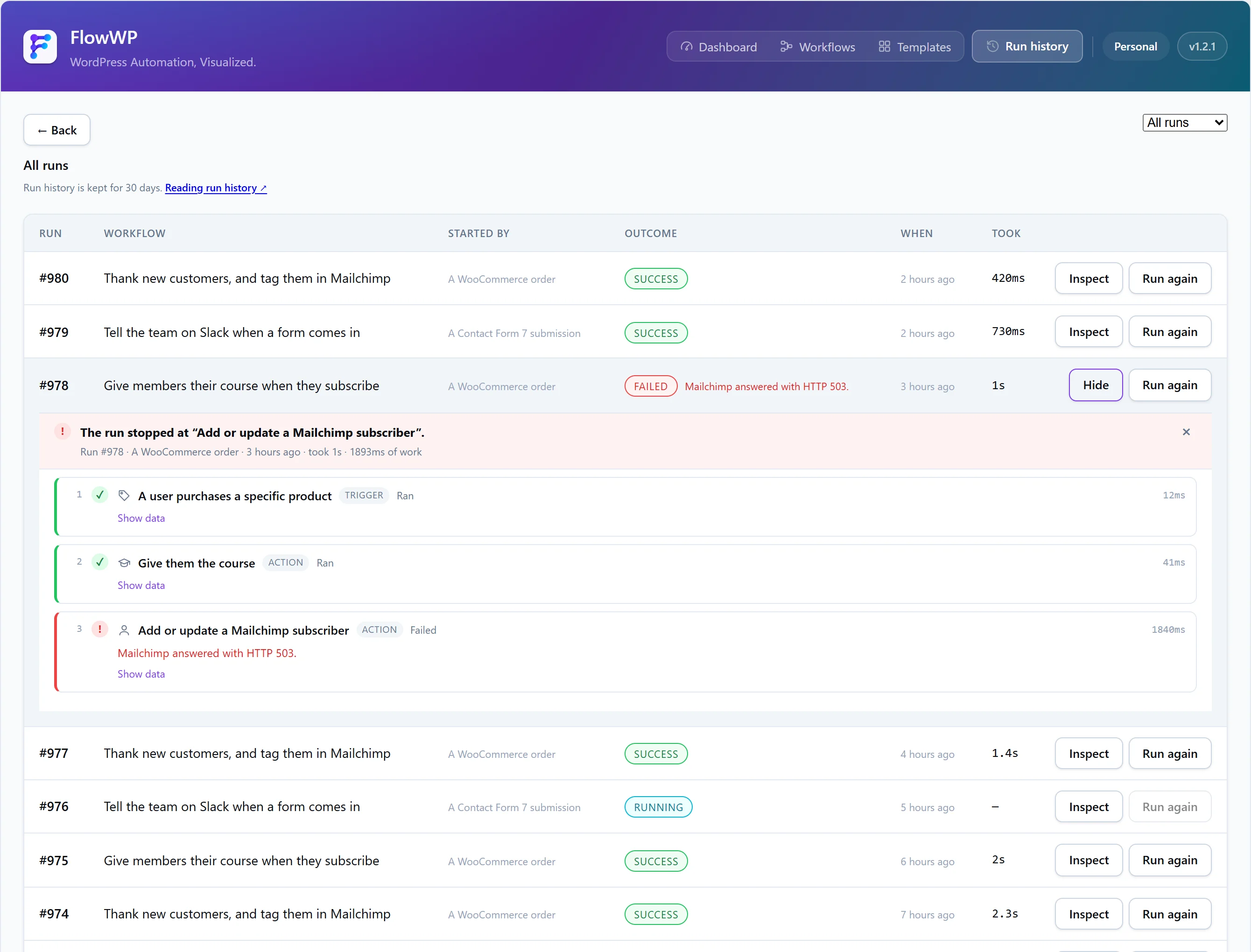
Inspect a run
Choose Inspect on a run to see each step in order with its input, its output and, for a failed step, its error message. Messages are written for whoever has to fix the workflow, such as WordPress could not send the email. Check the site’s mail configuration. API keys and other secrets never appear: they are removed from logs and step data.
Run it again
From a finished execution, you can run it again. It is repeated from the start, with the same trigger data and the same version of the workflow the original used, as a new execution. The original stays in the history, so “this failed twice” is still visible.
Every step runs again. Running an execution again repeats steps that succeeded the first time too — an email that was sent is sent again. Check the run’s steps before repeating it.
How long runs are kept
| Plan | History kept |
|---|---|
| Free and Personal | 30 days |
| Business | 90 days |
| Agency | 180 days |
Older finished executions are removed automatically. No plan limits how many runs you have.